How to Download Instagram Reels: Complete Guide 2025
Learn the easiest way to download Instagram Reels on any device. Step-by-step guide with tips for high-quality downloads. No tech skills needed.
How to Download Instagram Reels: The Easiest Way in 2025
You know that feeling when you stumble upon the perfect Reel? Maybe it's a hilarious comedy sketch, an amazing recipe, or a workout routine you want to try later. You think "I need to save this!" but Instagram doesn't make it easy to download Reels directly.
Well, I've got some good news for you - it's actually super simple once you know how! Let me walk you through the easiest methods I've found.
Why Would You Want to Download Reels Anyway?
Before we dive in, let's talk about why you might want to download Reels in the first place. I've found myself doing this for all sorts of reasons:
For offline viewing - Maybe you're going on a long flight or heading somewhere with spotty internet. Having your favorite Reels saved means you can watch them anytime, anywhere.
To keep your own content safe - If you're a creator, backing up your Reels is just smart. You never know when you might need that original file again.
For inspiration - As someone who creates content, I love saving Reels that inspire me. Having them on my device makes it easy to reference later when I'm brainstorming ideas.
To share with friends - Sometimes you want to send a Reel to someone who doesn't use Instagram, or share it on a different platform. Having the file makes that possible.
The Super Simple Method (My Favorite!)
Okay, here's the method I use all the time - it's honestly so easy, you'll wonder why you didn't try it sooner:
Step 1: Find that Reel you love
Open Instagram and scroll until you find the Reel that caught your eye. You know the one - that perfect dance move or that recipe you're definitely trying this weekend.
Step 2: Copy the link
Tap those three little dots in the bottom right corner (you know, the ones that look like "..." ). Then just tap "Copy Link" - Instagram will confirm it's copied.
Step 3: Paste and download
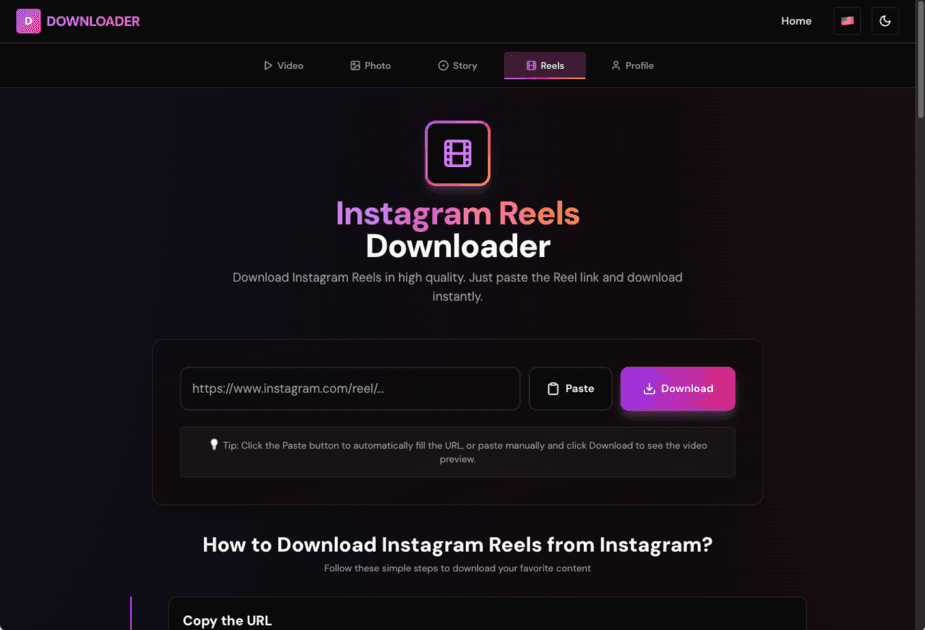
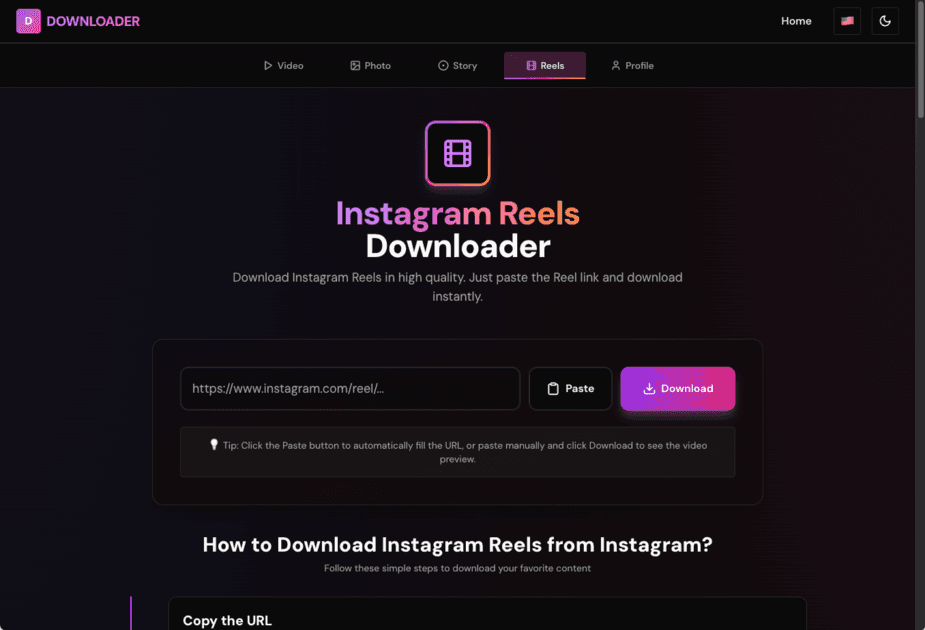
Head over to our downloader, paste that link you just copied, and hit download. That's it! Seriously, it's that simple. Your Reel will download in the same quality it was uploaded in.
The best part? You don't need to sign up for anything, create an account, or give us any personal info. Just paste, click, and you're done. I love tools that respect your privacy like that.
What About Instagram's Save Feature?
You might be thinking "Wait, Instagram has a save button - can't I just use that?"
Well, yes and no. The save feature is great for organizing Reels you want to watch later, but here's the thing - it only saves them within Instagram. You can't actually get the video file to use elsewhere or watch offline without the app.
So if you want the actual video file (which is what most people need), you'll want to use a downloader like ours.
Pro Tips I've Learned Along the Way
After downloading hundreds of Reels, I've picked up a few tricks that make the whole process smoother:
Make sure it's public - This one's important! You can only download Reels from public accounts. If someone's account is private, Instagram won't let you access their content (which is actually a good privacy feature).
Check your connection - A stable internet connection makes downloads way faster. If you're on mobile data and it's being slow, try switching to WiFi if you can.
Quality matters - Our downloader preserves whatever quality the creator uploaded in. So if they posted in HD, you'll get HD. Pretty cool, right?
File sizes can vary - Some Reels are longer or higher quality, so they'll be bigger files. Just something to keep in mind if you're running low on storage space.
My Personal Experience
I'll be honest - I used to think downloading Reels was complicated. I tried all sorts of sketchy apps and websites that wanted me to install software or create accounts. It was frustrating!
Then I found this method, and honestly? It changed everything. Now I can save any Reel I want in seconds, no hassle, no sketchy apps. It's become part of my daily routine.
Wrapping Up
Downloading Instagram Reels doesn't have to be complicated. With the right tool, it's literally a three-step process: copy, paste, download. No tech wizardry required!
The next time you find that perfect Reel you just have to save, give this method a try. I promise you'll be downloading Reels like a pro in no time. And hey, if you run into any issues, feel free to reach out - I'm always happy to help!
Share this article
Related Articles
10 Tips for Downloading Instagram Videos Like a Pro
Download Instagram videos efficiently with these 10 expert tips. Learn about quality, formats, privacy, and best practices for video downloads.
How to Download Instagram Profile Pictures in HD
Download Instagram profile pictures in high definition. Step-by-step guide with the easiest methods. Works with usernames or profile URLs.
Instagram Downloader Safety Guide: What You Need to Know
Learn about safety and security when using Instagram downloaders. Privacy tips, security best practices, and how to stay safe online.
Comments
Notes are saved only in this browser (local storage). They are not sent to a server.
Comments
Loading…